
PlayStation Portable ROMs
Sony · 2004 · 760 games
Showing 1–30 of 760 · Most popular
This page lists 760 PlayStation Portable (PSP) ROMs, sorted by how often each one is downloaded. The PSP was released by Sony in 2004. The games archived here originally came out between 1995 and 2014.
The most common genres in this library are Action, Role-Playing, Sports and Fighting. The most downloaded titles right now are God Of War - Chains Of Olympus, FIFA 14 and Grand Theft Auto - Vice City Stories.
To play these files you need a PSP emulator — PPSSPP is the one most people use. Each download below is a game file, not the emulator itself.
- Manufacturer
- Sony
- Released
- 2004
- ROMs archived
- 760
- Games from
- 1995–2014
- Regions
- USA, Europe and Japan
- Emulators
- PPSSPP
God Of War - Chains Of Olympus

FIFA 14

Grand Theft Auto - Vice City Stories
God Of War - Ghost Of Sparta

Spider-Man 3

Tekken 6

Gran Turismo

Assassin's Creed - Bloodlines
Mortal Kombat - Unchained (E)

Grand Theft Auto - Liberty City Stories
Dragon Ball Z - Shin Budokai

WWE SmackDown Vs. RAW 2011
Naruto Shippuden - Ultimate Ninja Impact

Need For Speed - Most Wanted 5-1-0 (E)
Dragon Ball Z - Tenkaichi Tag Team
Crisis Core - Final Fantasy VII
Pro Evolution Soccer 2014 (E)
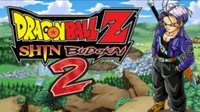
Dragon Ball Z - Shin Budokai 2 (E)

Crash Of The Titans
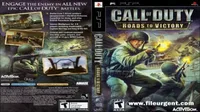
Call Of Duty - Roads To Victory
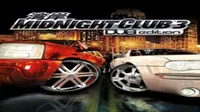
Midnight Club 3 - DUB Edition

FIFA 14 (Spain)

Dantes Inferno (v1.01)
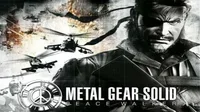
Metal Gear Solid - Peace Walker

LittleBigPlanet
LEGO Batman - The Video Game
Naruto Shippuden - Ultimate Ninja Heroes 3

Need for Speed - ProStreet

NBA 2K13
Monster Hunter Freedom Unite
About the PlayStation Portable
Sony's first handheld arrived in 2004 aiming at something no portable had managed: console-scale games in your hands. The 4.3-inch widescreen was larger and sharper than anything competing with it, and the hardware could push 3D that looked broadly like the PlayStation 2 sitting under the television. Sony shipped roughly 80 million units before support ended.
The trade-off was the UMD, a proprietary mini-disc that loaded slowly, drained the battery and could not be replaced by anything else. That format is precisely why emulation matters here: the discs degrade, the drives fail, and the games themselves run better today on hardware Sony never anticipated.
Choosing a PSP emulator
PPSSPP is effectively the only answer, and unusually for emulation, that is not a limitation. It runs on Windows, macOS, Linux, Android and iOS from a single codebase, and it is actively maintained. No BIOS file is required, which removes the most common obstacle people hit with other Sony systems.
Because the PSP's native resolution is low by modern standards, PPSSPP can render internally at 2x, 4x or higher and the results are dramatic — far more so than on most systems. On a mid-range phone, most of the library runs at full speed at 2x.
File formats you will encounter
PSP games appear as .iso, .cso or .chd. CSO and CHD are compressed formats that PPSSPP reads directly, often halving the file size with no loss. There is no reason to decompress them first.
Some releases arrive as .pbp files, the format Sony used for digital PSN downloads. PPSSPP handles these too.
Where the library is strongest
The PSP's reputation rests on games built specifically for it rather than ported down. The two God of War entries from Ready at Dawn, Metal Gear Solid: Peace Walker, Crisis Core and Monster Hunter Freedom Unite were all designed around the hardware and the play sessions it encouraged.
It is also the strongest handheld library for Japanese role-playing games and fighting games, with arcade-accurate conversions that hold up better than most conversions of that era.
Frequently asked questions
- Do I need a BIOS file to run PSP games?
- No. PPSSPP includes everything required, which is why PSP emulation is the most approachable of any Sony platform.
- Can I play PSP games on a phone?
- Yes. PPSSPP runs on Android and iOS, and most of the library runs at full speed on hardware from the last several years. Touch controls are included, though a Bluetooth controller improves action games considerably.
- What is the difference between ISO and CSO?
- CSO is a compressed version of the same disc image. PPSSPP reads both, so choose CSO when storage matters and ISO when you want the fastest possible loading.